
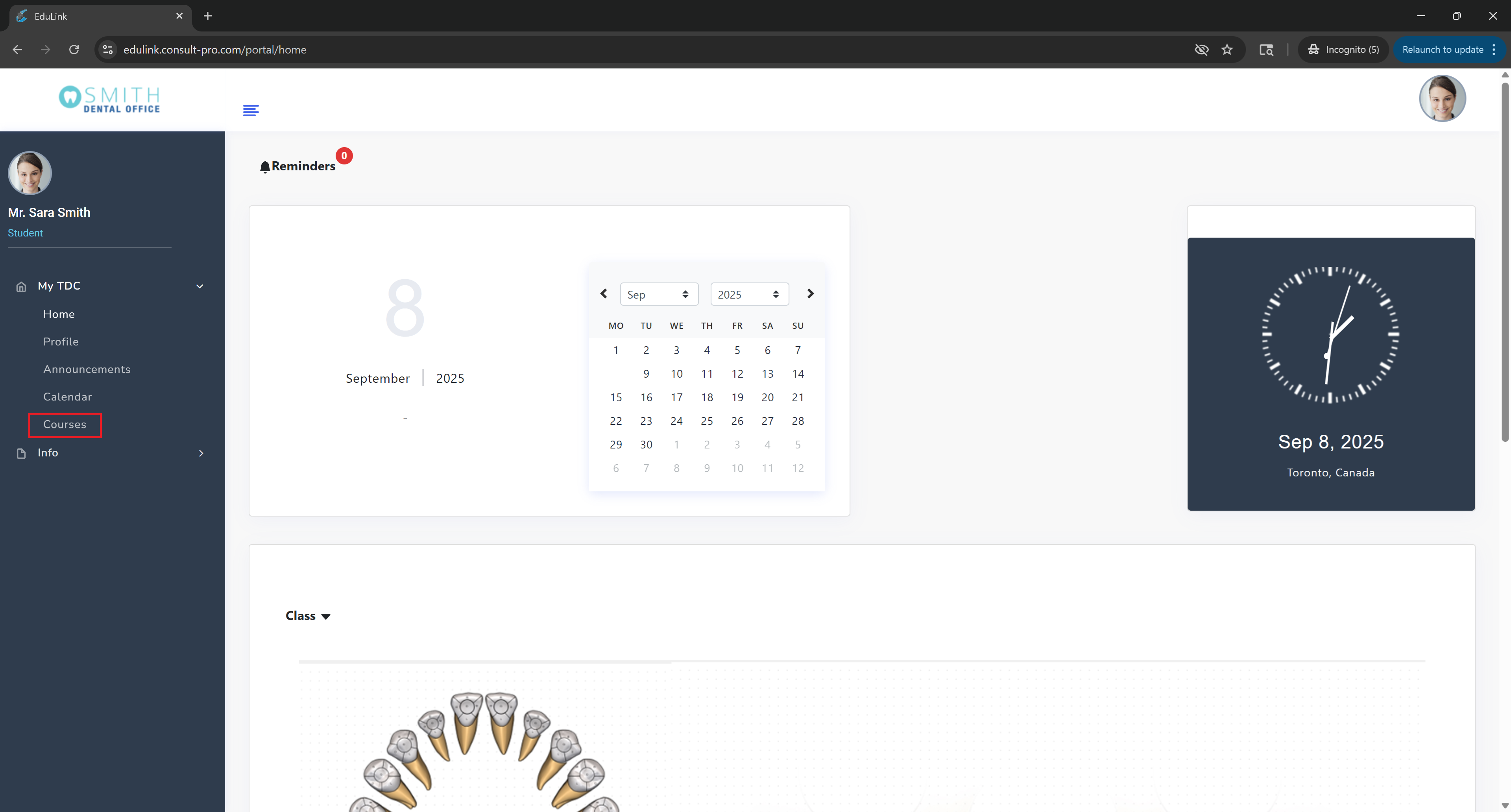
Step 2: Navigate to Courses
Expand "My Dashboard" and click on "Courses" to see your enrolled courses
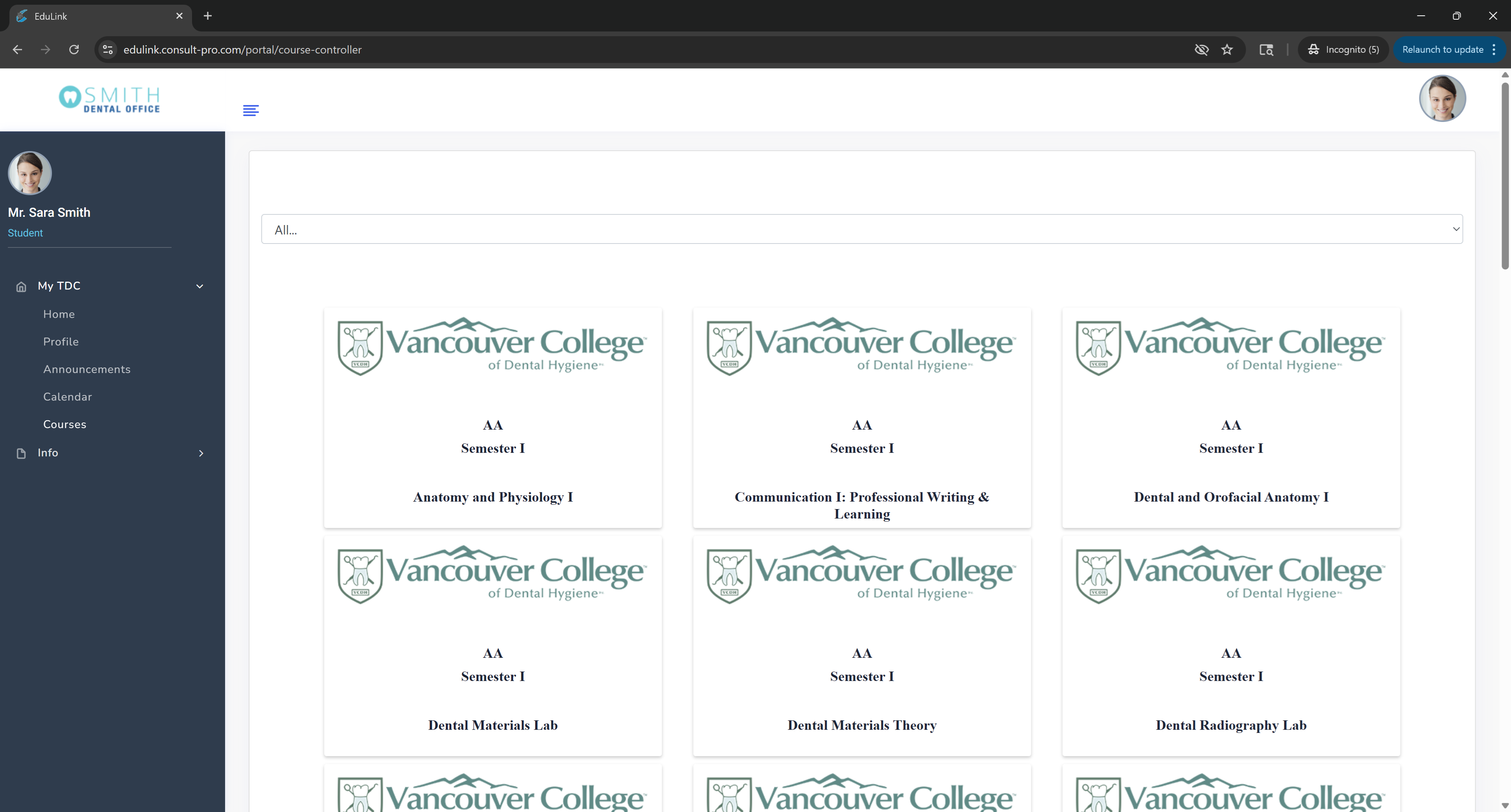
Step 3: Select Your Course
Choose the specific course you want to view Q&A for
Step 4: Access Q&A
Click on "Q & A" to view all course questions, answers, and discussions

💡 Pro Tip
The Q&A section is your hub for course discussions and questions. You can ask questions, answer others' questions, and search through existing discussions. Use the search function to find topics related to your questions before posting new ones.